
How to Execute an IT Equipment Relocation That New Jersey Businesses Can Trust
Get a Free Quote
A successful IT equipment relocation requires careful planning, secure packing, reliable transportation, and efficient system setup. New Jersey businesses should inventory technology, back up important data, label equipment, and coordinate moving schedules. Protecting servers, computers, monitors, and network hardware also helps reduce risks. With proper preparation, companies can limit downtime and restore essential business operations more efficiently after moving.
Moving business technology requires more preparation than relocating desks and chairs. A successful IT equipment relocation must protect servers, computers, monitors, printers, network switches, and phone systems. Before an IT equipment move, consider risks such as physical damage, data loss, disconnected systems, and costly downtime. For example, one damaged server or incorrectly labeled network device could delay normal operations. Strong coordination can reduce these risks. Your IT team should work with employees, building management, internet providers, and professional movers before moving day. First, create a detailed schedule for backups, disconnection, packing, transportation, and installation. Next, assign responsibilities to specific team members. Also, confirm elevator reservations and loading access at both locations. Finally, prepare the new network and internet connection early so technicians can test essential systems after delivery.
New Jersey’s Technology Sector Creates Diverse Relocation Needs for Businesses
New Jersey has a substantial technology sector alongside telecommunications, life sciences, and professional services. State data released in spring 2026 reports 202,900 technology jobs, representing 5.5% of private-sector employment based on 2026 figures. Technology employers paid $33.6 billion in wages. Major business locations include Princeton, Newark, Jersey City, New Brunswick, and the Route 1 corridor. In Princeton, for example, moving companies Princeton NJ may support businesses relocating offices with computers, servers, laboratory electronics, and network equipment.
Relocation needs vary considerably by company. A 15-person software startup may move laptops, monitors, and networking hardware. In contrast, a life sciences company could have servers, testing equipment, secure systems, and sensitive electronics. New Jersey’s life sciences sector alone included 2,400 establishments and 85,000 workers in 2026. Moreover, Route 1 connects Rutgers University, the New Jersey Technology Center, and technology and research businesses. Businesses should schedule loading around elevator reservations, parking restrictions, building access, and Route 1 or urban traffic to limit operational delays.
Create a Detailed Inventory and Backup Critical Business Data
Start your technology inventory several weeks before the office move. Record every computer, server, monitor, router, switch, printer, and storage device. Include serial numbers, asset tags, assigned employees, and destination rooms. For example, label a workstation “Finance-04, Office 215” rather than simply “computer.” This gives your IT team and business movers New Jersey clear instructions about where equipment belongs. Also, photograph server racks, cable connections, and network configurations before anything is disconnected. These images can provide useful references during installation.
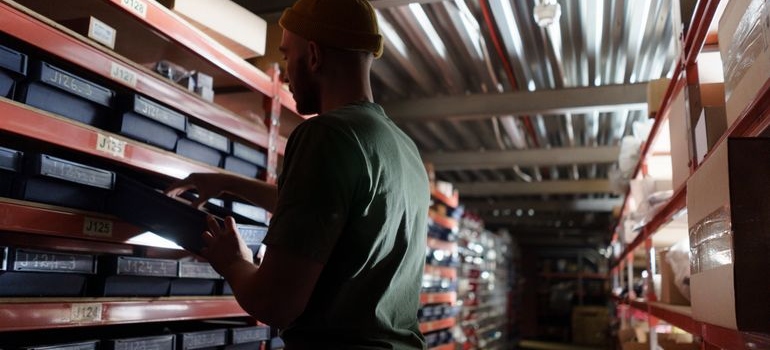
Data protection requires equal attention. Complete backups before servers, desktop computers, or storage systems are disconnected. Critical files may need both local and secure cloud backups, depending on company policies. However, creating a backup is not enough. Test whether files and systems can actually be restored before moving day. Next, label cables at both ends and match them to specific devices. Color-coded labels can separate network, power, phone, and peripheral connections. As a result, technicians can reconnect equipment faster and reduce avoidable setup errors.
Protect Equipment With Professional Packing and Transportation Methods
Computers and network equipment need more protection than standard office supplies. Sensitive electronics can be damaged by static electricity, impact, moisture, or movement during transportation. Therefore, your packing plan should match the equipment type. Professional packing services NJ may use anti-static materials for sensitive components and padded containers for complete devices. Servers, monitors, routers, switches, and desktop computers should also be separated from files, office furniture, and general supplies. This keeps heavy or loose items from pressing against valuable technology.
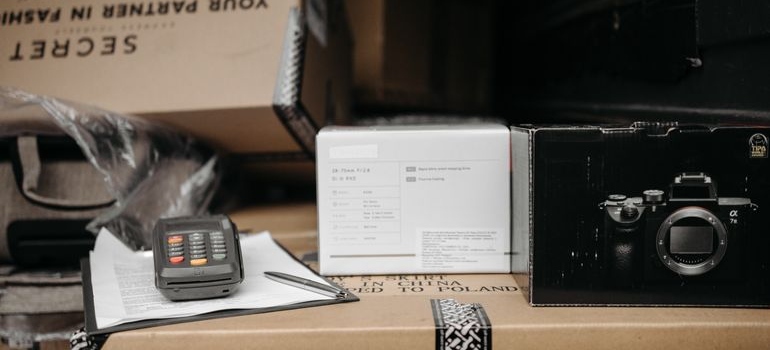
Use specific protection for each type of equipment:
- Place monitors in fitted boxes with foam around screens and corners.
- Use anti-static bags for exposed electronic components and sensitive hardware.
- Pack servers in secure containers with enough cushioning to limit movement.
- Protect routers and switches with padding around ports and exposed controls.
- Keep cables labeled, bundled, and packed with their assigned devices.
- Use moisture-resistant outer protection when equipment could face rain during loading.
- Secure packed electronics inside the truck with straps or barriers.
- Keep valuable IT assets away from heavy furniture and stacked office boxes.
Minimize Downtime During an IT Equipment Relocation
Downtime can become expensive when employees cannot access servers, phones, email, or business applications. Therefore, create a phased schedule for your IT equipment relocation in New Jersey. Start with nonessential workstations and equipment that can be offline without affecting daily operations. Then move critical servers, switches, routers, and phone systems during an evening or weekend when practical. Before moving day, confirm that internet, phone, power, and network connections are active at the new office. This prevents equipment from arriving at a location that is not ready.

Reconnect technology in order of business importance. For example, restore servers and network equipment before setting up individual workstations. Next, test internet access, phones, printers, shared drives, security systems, and essential applications. Keep IT technicians available to resolve connection problems immediately. In addition, prepare backup internet access, spare cables, replacement hardware, and current data backups. If transportation or installation is delayed, employees may temporarily work remotely. A clear contingency plan can keep essential operations running while the relocation is completed.
Complete Your New Jersey Technology Move With Professional Support
A successful IT equipment relocation requires careful coordination from the first backup to the final system test. New Jersey businesses should inventory equipment, label cables, protect sensitive electronics, and prepare the new office before moving day. In addition, arranging internet and telecommunications services early can reduce delays. A phased schedule can also help employees return to normal operations sooner. Professional moving support adds another layer of organization to the process. Experienced movers can handle packed servers, computers, monitors, network hardware, and other valuable office equipment with appropriate care. Meanwhile, your IT team can focus on data security, connections, and system testing. If your company is preparing for a technology or office move, contact Princeton Moving & Storage for professional commercial moving support in New Jersey.
Reviews

Robert Pera

a month ago
I was so stressed about moving our big family. Princeton Van Service made it easy. The crew was strong and very nice to my kids. Seeing all our things safe in the new house made me feel so relieved. Thank you for that.
Locations
Areas We Serve
FAQ
FAQ
Create a complete equipment inventory, back up critical data, label devices and cables, photograph connections, and prepare the new office before moving day.
Schedule the move during low-activity periods when possible. In addition, arrange internet services in advance and prioritize servers, network equipment, phones, and essential employee workstations.
Servers, computers, monitors, switches, routers, storage devices, and other sensitive electronics may require anti-static materials, protective padding, sturdy containers, and secure transportation.
Yes. IT teams should test network connections, servers, workstations, phones, internet access, and essential business applications. Early testing helps identify connection or equipment problems before normal operations resume.